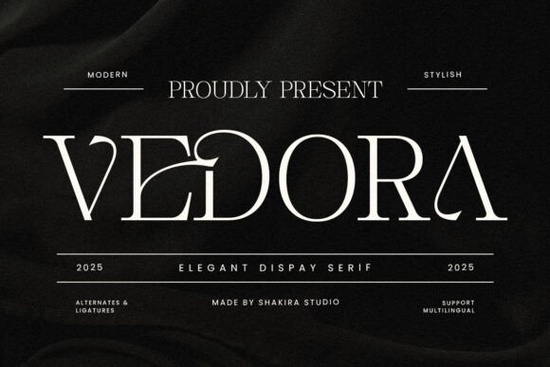
Finding the right typeface for premium projects takes time, but the Vedora Font delivers a clean balance of sharp contrast and smooth curves. Designed for creators who need a polished look without losing readability, this modern serif fits naturally into high-end branding, editorial layouts, and custom packaging. Whether you run a boutique shop, design print-on-demand items, or manage client projects, choosing a reliable typeface upfront prevents endless layout tweaks.
Why do designers choose luxury serif typefaces for premium branding?
High-end branding relies on visual trust. Serif letterforms carry long-standing associations with craftsmanship and refined publishing. Vedora updates that tradition by keeping strokes crisp, terminals subtle, and spacing evenly balanced. The letters read clearly on product tags and scale smoothly for large display headers. When customers notice careful typographic tracking on a storefront, they naturally associate it with quality.
Many makers worry that elegant fonts become hard to read on screens or fabric prints. Vedora uses a balanced x-height and open counters, which keeps each character distinct even when scaled down. You maintain a refined aesthetic without sacrificing clarity across different materials, whether you are working on minimalist packaging or large format banners.
If you are comparing options for your next collection, exploring the serif typography library helps you spot which letterforms align with your specific visual goals.
Which everyday projects work best with sophisticated typography?
Versatile commercial fonts adapt across multiple formats without requiring heavy adjustments. Use Vedora selectively for layouts where polish matters most:
- Event stationery that needs readable details with formal curves.
- Apparel mockups requiring crisp letterforms for heat-transfer or screen printing.
- Product labels that must photograph cleanly for online marketplaces.
- Digital lookbooks where pull quotes pair smoothly with supporting body text.
Print-on-demand sellers often ask whether refined fonts survive the printing process. Results depend on file resolution and contrast, but Vedora’s structure exports cleanly to vector formats. Always save artwork at 300 DPI and check thin strokes at your final print size. Testing a small physical sample before committing to a large production run also prevents unexpected color shifts or missing fine details.
How should you install and license typefaces for commercial use?
Always review the included license before adding new typography to active projects. Sellers creating physical goods or marketplace listings typically need a standard commercial license. Installation is simple: unzip your download folder, right-click the font files, and click Install. Restart your design application to see the new typeface in the font menu. Keeping backup copies of your licensed files ensures you can reinstall them quickly if your system requires a clean update later.
Organize active fonts in a dedicated project folder to prevent missing-font errors when sharing files with printers or collaborators. For pairing ideas, reviewing Vedora on Creative Fabrica shows how other designers combine it with complementary scripts and geometric sans-serifs.
What steps prevent common typography errors before going live?
Strong layout choices impact readability more than the font alone. Check spacing, hierarchy, and background contrast before uploading to your shop or sending files to print. Follow this quick checklist before finalizing your design files:
- Keep body text between 10pt and 14pt for comfortable reading on screens and paper.
- Set line spacing to 120–140% of the font size to avoid crowded paragraphs.
- Preview text over light and dark backgrounds to confirm label legibility.
- Zoom to 100% to catch spelling mistakes and uneven kerning.
- Print a small test copy to verify ink absorption and color accuracy on your chosen material.
Save this checklist alongside your project files and run through it before exporting final assets. A few extra minutes checking spacing, contrast, and print settings saves costly reprints and keeps your portfolio consistently professional.
Explore Design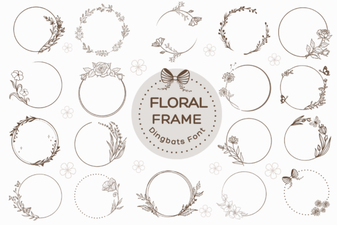 Floral Frame Fonts for Beautiful Invitations and Cards
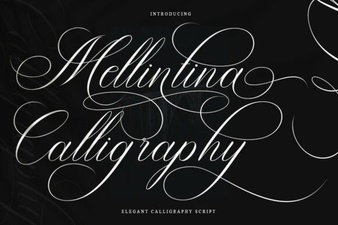 Melintina Calligraphy Font | Elegant Design Ideas & Uses
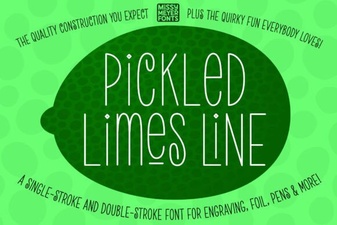 Crafting with Pickled Lime Serif Typography
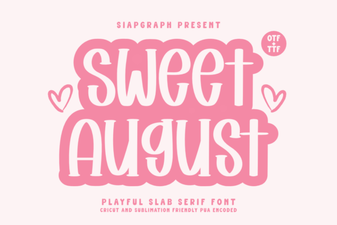 Sweet August Font: a Designer's Guide to Creative Typography
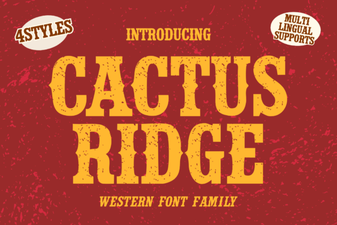 Cactus Ridge Font: Creative Design Ideas & Uses
 Ankle Biter Font Projects & Download Instructions