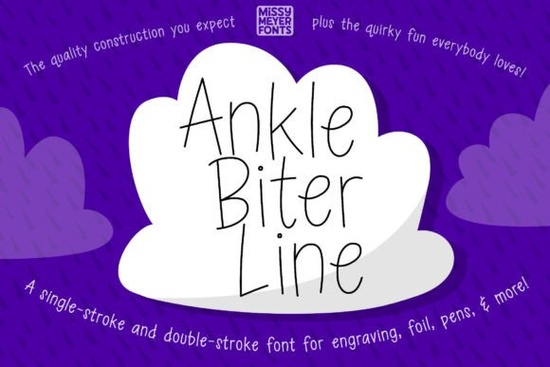
When you need a typeface that machines can draw or engrave without leaving behind filled shapes, the Ankle Biter Line Font gives you exactly that single-stroke precision. Crafted from the original Ankle Biter Print outline, this playful handwritten design keeps tall, friendly letterforms while stripping away extra weight. It works smoothly for designers, crafters, and print-on-demand sellers who build greeting cards, engrave custom jewelry, or run small shops relying on precision drawing tools. Instead of forcing a solid font through a plotter, this typography style moves the pen or laser along one continuous path, saving time and keeping results clean. When sourcing materials, pair this typeface with smooth finishes like birch plywood, brushed metal blanks, or matte cardstock. Textured surfaces can interrupt the continuous line and create jagged edges that are difficult to fix later.
What makes this font different from standard typefaces?
Traditional fonts sit flat on screens and come with thick, filled-in shapes that plotting tools struggle to trace. This typeface is engineered specifically for machines that draw, sketch, or carve. The package includes both a single-stroke and a double-stroke version, letting you match your software expectations. Single-line paths keep ink or laser burns thin and controlled, while the double option adds visual weight for projects needing slightly bolder marks. If you have compared different options, you will notice that similar handwritten styles often rely on thick fills that clog tips. This design removes that problem.
Many makers appreciate the relaxed letter spacing and clean proportions. The tall characters stay highly legible at small sizes, which matters when marking metal tags or wooden coasters. Install it directly into your design suite or drop the included SVG file into programs that prefer vector imports. If you usually shop for commercial typefaces, checking professional typography examples shows how single-path letters behave differently than retail fonts.
How do you use it with cutting and drawing machines?
Compatibility shifts across platforms, so test your workflow first. For Glowforge, Sketch Pen, Foil Quill, or Infusible Ink tools, select the single-line version and run a quick scrap test. The SVG file works as a reliable backup when software struggles with typeable fonts. It holds the complete character set, so you keep access to special marks and alternate glyphs.
Cricut Design Space users often face a hiccup at the “Make It” screen where line fonts convert to solid shapes. The included PDF guide shows exactly how to bypass that step and force the program to treat the text as a true path. Exploring alternative display typography reveals how other crafters handle vector quirks. Keep your designs simple to maintain sharp edges on layered materials.
What projects work best with handwritten single-line typography?
The style relies on approachable, slightly irregular strokes that mimic real handwriting. That warmth fits projects needing personality without losing readability. Use it for:
- Personalized gifts like engraved keychains and acrylic signs.
- Greeting cards where hand-drawn feels pair well with minimal layouts.
- Cutting boards requiring shallow carvings for names and dates.
- Print-on-demand items including mugs and totes where ink pens apply color directly.
Creative hobbyists and small business owners pair this font with geometric icons to balance the layout. Browsing other niche design styles shows that mixing detailed scripts with simple line faces improves visual hierarchy. Leave wide margins so tall ascenders never crowd surrounding elements.
How to troubleshoot common machine issues?
Plotting software can still misread paths even with prepared files. Switch to the double-stroke variant if lines appear too faint. If characters overlap, convert text to curves inside your editor to lock the spacing and stop auto-kerning adjustments. Always clean your engraving tips between runs and adjust your speed based on material density. Softer woods or thin cardstock require slower passes to prevent tearing or skipping lines.
Brother CanvasWorkspace users often see rendering errors with installed fonts. The SVG version fixes this by treating every letter as a fixed shape. Save files in both editable and exported formats for quick revisions. Reviewing related craft typography resources helps optimize digital cut layouts. For new setup guidance, visit the Ankle Biter Line Font page to access updated community notes.
Quick checklist before running your machine
- Test on scrap material first to verify pen pressure and depth.
- Select the correct stroke version based on your tool tip size.
- Export as SVG if your software struggles with standard font files.
- Leave negative space so tall letters stay legible and balanced.
- Follow the included PDF to bypass Cricut conversion glitches.
Start with small batches, record your speed and pressure settings, and adjust gradually. Dialing in your machine behavior guarantees clean, repeatable results across every project.
Explore Design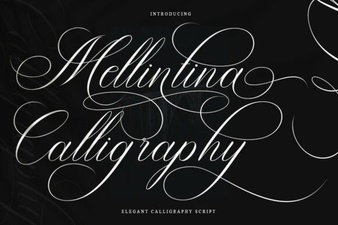 Melintina Calligraphy Font | Elegant Design Ideas & Uses
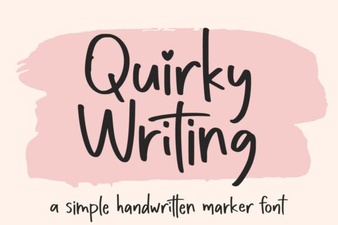 Fun & Creative Fonts for Your Writing Projects
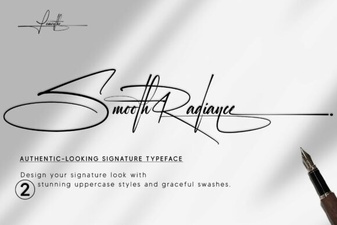 Smooth Radiance Font: Elegant Web & Print Design
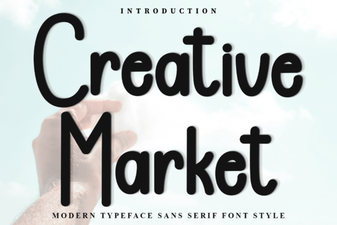 Browse Creative Fonts for Unique Design Projects
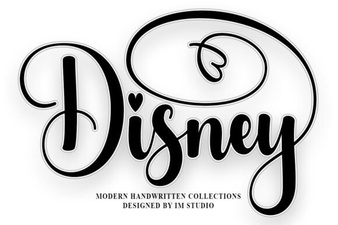 Designing with the Disney Font Magic
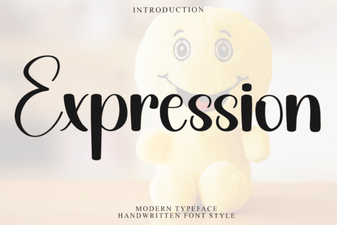 Creative Typography: Unleashing Expression Font Design