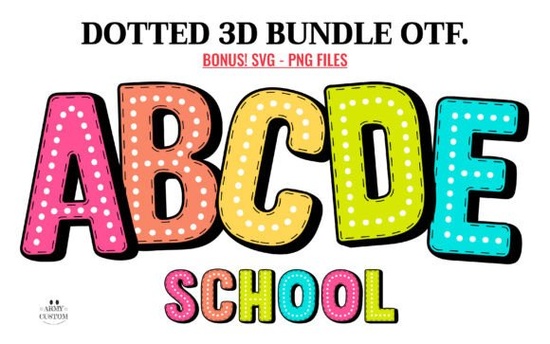
If you need a playful typeface that stands out without overwhelming your layout, the Dotted 3d Rainbow Font gives you a ready-to-use, textured look. It blends a soft three-dimensional effect with a dotted pattern, adding instant depth to text while keeping the overall feel light and cheerful. This typeface works especially well for invitations, kids apparel, and seasonal print-on-demand listings.
Can I use this font with Cricut or Silhouette machines?
Yes, but you must choose the correct file. The download includes two distinct versions, and picking the right one prevents wasted material. The black-and-white version is fully optimized for die-cutting equipment. You can load it directly into Cricut Design Space, Silhouette Studio, or similar platforms without extra tracing. Because it arrives as a solid monochrome design, cut lines stay clean and weeding remains straightforward.
The built-in gradient version requires different software. These color files do not work with Cricut machines. They are meant for screen-based programs where you want to preserve exact dot shading and rainbow layering. Before opening your workspace, verify your software supports OpenType color fonts. For detailed setup instructions and troubleshooting steps, visit the Dotted 3d Rainbow Font page to read notes from experienced makers.
What kind of projects work best with a dotted color font?
Crafters and shop owners usually choose this style when they want a handmade feel that still looks polished. The dotted texture naturally draws attention, making it a reliable choice for:
- Nursery wall art and kids shirts – The rounded shapes sit comfortably next to simple line drawings or watercolor backgrounds.
- Social media banners and blog headers – Since the colors are baked into the font file, you can type in Photoshop or Illustrator and publish without building custom gradients.
- Party printables and gift tags – Birthday banners and cupcake toppers gain instant cohesion when the typography shares a consistent pattern.
Print-on-demand sellers often pair it with neutral backgrounds to let the typography carry the visual weight. If you enjoy vibrant lettering, you might also explore the star-accented variation we recommend, which swaps circles for shimmer effects.
How do I handle the color version in design software?
Color typefaces read differently than standard fonts. When you open the OTF in a supported program, the software displays multiple internal layers at once. You type normally, but you cannot flatten the rainbow gradient into a single solid color without switching to the monochrome file. This locked-in color behavior actually helps maintain consistent branding across multiple templates.
If your usual workflow relies on drop shadows or strokes, remember that color fonts often ignore standard style panels. To add separation, most designers duplicate the text layer, apply a neutral fill, shift it slightly, and lower the opacity. That method keeps the dotted pattern visible while giving you control over contrast. For exact export settings, check our color typography setup guide to avoid pixelation during file conversion.
What commercial rules should I follow when selling designs?
Independent creators typically use this typeface for finished goods and client deliverables. The standard license allows you to sell printed merchandise, create digital graphics, and include the typography in your templates as long as the text remains flattened. You cannot redistribute the raw font files or repackage them as your own work. Always review the creator’s exact terms before launching a high-volume product line.
- Select the correct file – Use the solid version for cutting machines and the OTF for digital layouts.
- Restart your software after installing – Close the program completely so the new font registers properly.
- Test at full print size – Scale a sample phrase and verify that the dots remain crisp on your actual material.
- Convert text to paths before sharing – Outline the typography to prevent missing font errors when handing off files.
- Save separate web and print copies – Keep a PNG for screens and a PDF for physical production.
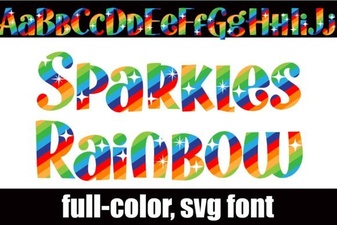 Sparkles Rainbow Fonts for Design Projects & Ideas
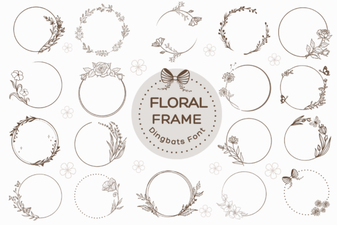 Floral Frame Fonts for Beautiful Invitations and Cards
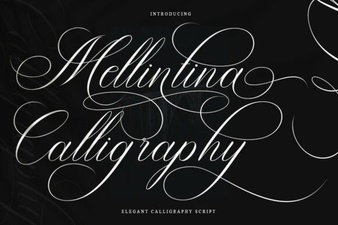 Melintina Calligraphy Font | Elegant Design Ideas & Uses
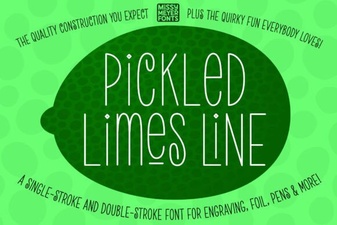 Crafting with Pickled Lime Serif Typography
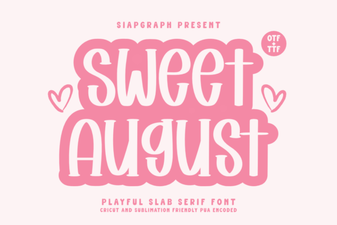 Sweet August Font: a Designer's Guide to Creative Typography
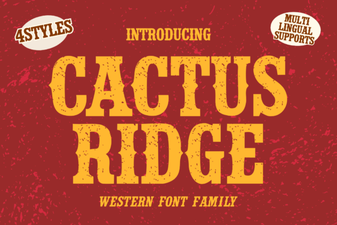 Cactus Ridge Font: Creative Design Ideas & Uses