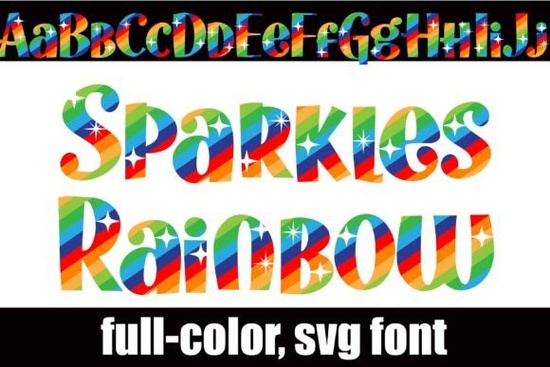
If you are working on a project that needs bright, playful typography, the Sparkles Rainbow Font is a straightforward solution that adds instant visual interest without extra editing steps. This typeface uses OpenType SVG technology to bake a full-color rainbow stripe directly into the letterforms. Instead of adding gradient fills or clipping masks manually, the color scales with the text automatically. Crafters, print-on-demand sellers, and graphic designers often turn to this style for birthday invitations, kids apparel, and cheerful branding because it saves hours in the design phase.
How do full-color SVG fonts differ from standard typefaces?
Traditional fonts only store shape data, which means any color or effect has to be applied inside your design program. SVG fonts combine vector outlines and layered color data in one file. When you select the typeface, the rainbow stripes, alt case characters, and built-in details appear exactly as the creator intended. This structure keeps your working files lighter and reduces the need for complex layer management. Because the graphics are mathematically defined vectors, you never have to worry about jagged edges or resolution drops when printing large formats.
Will the colors display correctly in my design software?
Compatibility depends on whether your program supports OpenType full-color rendering. Adobe Illustrator, Photoshop, Inkscape, and Silhouette Studio all read SVG font data properly. When you install the file through Font Book on Mac or the Control Panel on Windows, it will initially look black in your system font previewer. That is completely normal. The colors only render once you start typing inside a supported workspace. If you ever switch to a program without SVG support, the letters will still type out correctly, but they will appear as solid black outlines. You can always convert the text to paths and recolor it manually if needed for print shops that require single-layer vector files.
For those exploring other playful options, you might also want to check out the textured alternative with raised dots, which shares a similar cheerful vibe for party supplies and stationery.
What kinds of projects work best with rainbow striped typography?
The built-in gradient stripes make this font ideal for eye-catching headlines. Small business owners use it for logo marks, bakery packaging, and social media graphics where quick visual impact matters. Crafters often apply it to vinyl decals, sublimation tumblers, and custom stickers because the vector paths stay sharp even when resized. Since the letters are fully scalable, you can shrink them for jewelry tags or blow them up for wall decals without worrying about pixelation. The design naturally draws attention, so it pairs well with clean backgrounds and simple geometric shapes that let the typeface stand out.
If you want to see how these letters pair with seasonal layouts, the complete color set includes bonus styling options that work well for holiday promotions.
How do I install and start using the typeface right away?
Installation follows the same steps as any standard .otf file. Download the package, extract the folder, and double-click the font file to trigger your system installer. After a quick restart of your design application, the name will appear in your typography menu. I recommend testing a short phrase first to confirm your software reads the SVG layers correctly. Remember to use the alternate character set if you want to switch between the standard rainbow flow and the reversed stripe pattern. Both are accessible through your system character map or the glyph panel in programs like Illustrator.
You can find the latest file updates and licensing details for Sparkles Rainbow Font directly on the marketplace.
Quick setup checklist before exporting your final file
- Verify your design software supports OpenType SVG rendering before downloading.
- Test the typeface at both large and small sizes to check readability on different backgrounds.
- Outline the text before sending to third-party printers to lock the shapes and prevent font substitution.
- Keep a black-and-white backup version for single-color cutting machines or older software.
- Use the glyph panel to toggle between standard and reverse rainbow cases for visual variety.
Start with a short headline in your main project file, confirm the color layers are rendering properly, and adjust tracking if the rainbow stripes feel too tight. Once everything looks balanced, you are ready to export your design for printing or digital publishing.
Learn More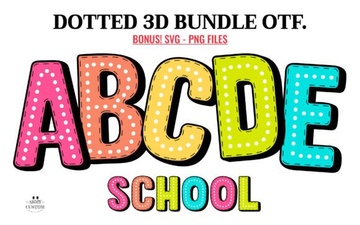 Get Creative with 3d Rainbow Dot Fonts
 Floral Frame Fonts for Beautiful Invitations and Cards
 Melintina Calligraphy Font | Elegant Design Ideas & Uses
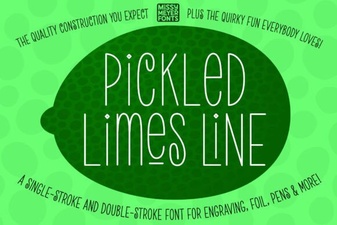 Crafting with Pickled Lime Serif Typography
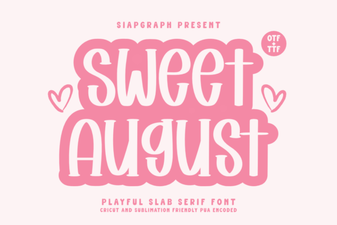 Sweet August Font: a Designer's Guide to Creative Typography
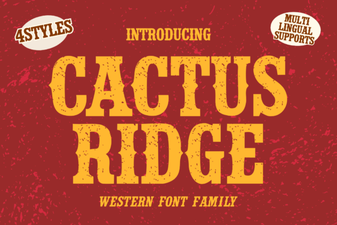 Cactus Ridge Font: Creative Design Ideas & Uses